New from OpenAI · in beta since 10 November 2026
How to claim your business on ChatGPT
A UK guide for small and medium businesses.
Four steps, with real screenshots from our own profile.
By Isha Gupta, Impact Visual Branding · Published
The short answer
ChatGPT now lets businesses claim their own profile, through a new area called Business Hub. To claim yours:
- Open chatgpt.com/business-hub and search your business name
- Claim your listing, or press + to create it
- Prove it's yours with a code to your business email or phone
- Add your category, a short description and your contact details
- Pass OpenAI's ID check to get the blue tick and see your insights
You don't need to advertise to do it. Have your photo ID and business registration details to hand.
What's new
On 10 November 2026, OpenAI launched Businesses in ChatGPT, in beta.
- Businesses can claim their profile in ChatGPT through Business Hub
- Once verified, you can keep your details up to date: description, category, website, logo and more
- You can see insights: how often ChatGPT mentions you, and clicks to your website
- Eligible US online businesses can also add a Business Agent, a chat that answers customer questions about their products and policies
When your business appears in a ChatGPT answer, people can click through to see your profile. Claiming it means what they see comes from you.
Why it matters for small and medium businesses
Your customers are already asking AI who to use. Now you get a say in what it knows about you.
Customers already ask ChatGPT who to use
"Who's the best accountant for me?" "Who can build my website?" OpenAI says 1.2 billion people use ChatGPT each week.
Your details, in your words
Your description, website and contact details come from you, not pieced together from elsewhere.
See how often ChatGPT mentions you
Plus clicks through to your website, over the last 28 days.
The verified blue tick
It shows customers the profile really belongs to you.
Worth knowing: claiming won't guarantee more recommendations. It means the details come from you.
Step by step
We claimed Impact Visual Branding's profile on day two. These are our own screens.
Step 1
Open Business Hub and search your business name
- Sign in to ChatGPT and open Business Hub from the sidebar, or go to chatgpt.com/business-hub.
- Listed? Select your business and claim it.
- Not listed? Press + to create it.
- Creating a new profile works for businesses customers find online. Local shops and restaurants can only claim an existing US listing for now.
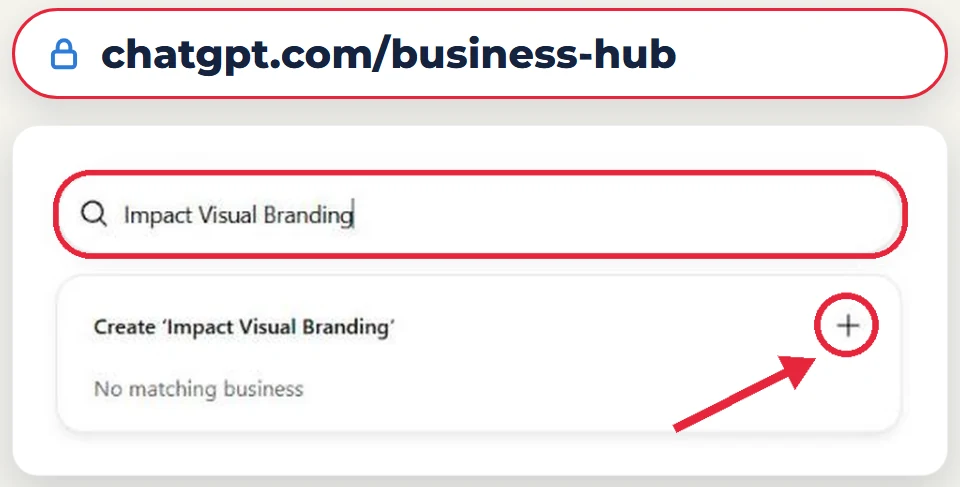
Our own search in Business Hub. No listing yet, so we pressed + to create it. Tap to enlarge. Step 2
Prove the business is yours
- Pick one of the ways ChatGPT offers you:
- A code sent to your business email.
- A code to your business phone, by text or automated call.
- A record added to your website domain (ask whoever looks after your website).
- Connecting your Shopify store, if your shop runs on it.
- OpenAI then reviews your claim and emails you its decision.
TipIf your email address ends in your web address, the email code is the quickest.
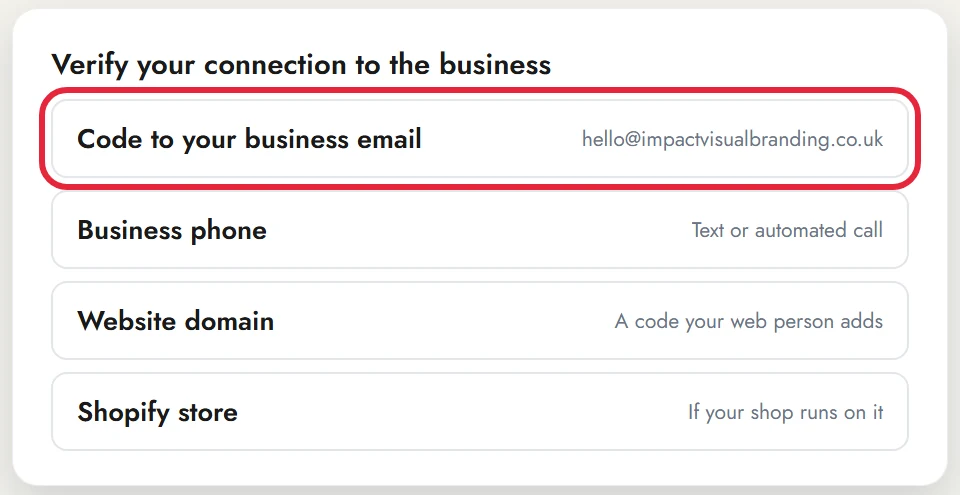
Illustration of this screen, using our own details. Tap to enlarge. Step 3
Fill in your details. Say what you do in 300 characters
- Choose your business category. You can add related ones too.
- Write a short description: who you help, what you do and where.
- Add your website, phone number and business email.
TipUse plain words, and the exact same name, number and web address as your Google Business Profile.
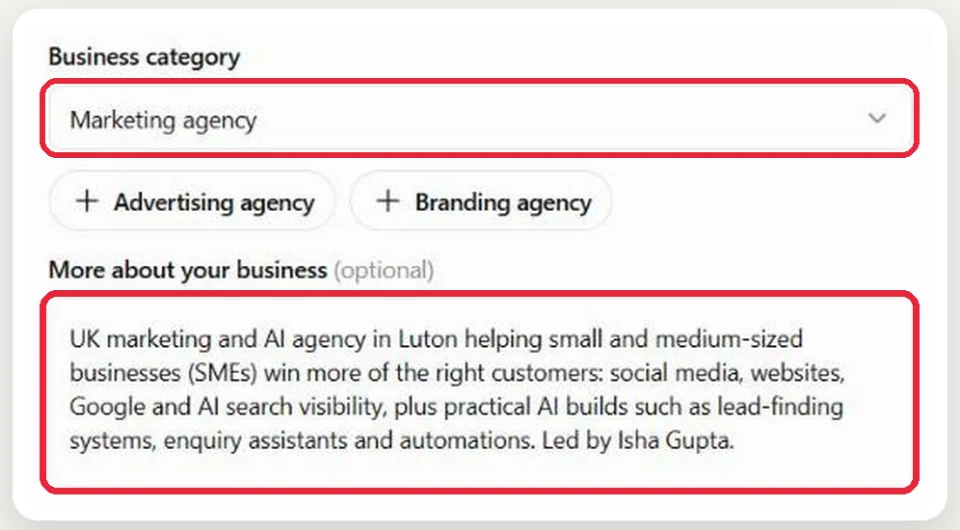
Our real category and description. Tap to enlarge. Step 4
Verify your identity to get the blue tick
- Claiming alone doesn't give you the blue tick.
- It appears once OpenAI approves your ID check, done through Persona (the ID-check service OpenAI uses).
- Have your photo ID, business registration details and proof you can act for the business to hand.
- Approval also unlocks publishing your details and seeing your insights.
TipThis is the step most people won't finish. It's also the one that makes everything else work.
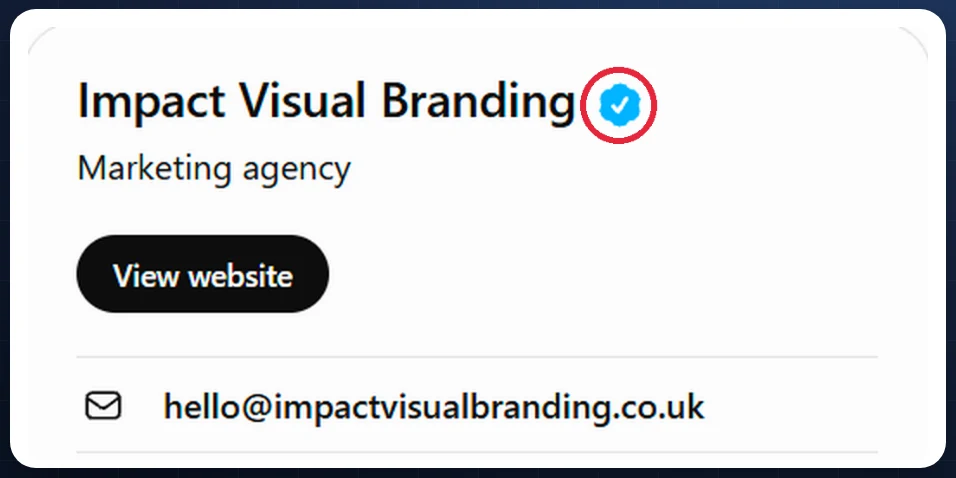
Our real ChatGPT business profile with the blue tick, 12 November 2026. Tap to enlarge.
What you can see: ChatGPT mentioned us 18 times in 7 days
Once your ID check is approved, open your business in Business Hub and select Insights.
To be clear, claiming the profile didn't bring us those mentions. We've spent about two months working on AI search visibility on our own website, and the profile is simply where we can now see the result.
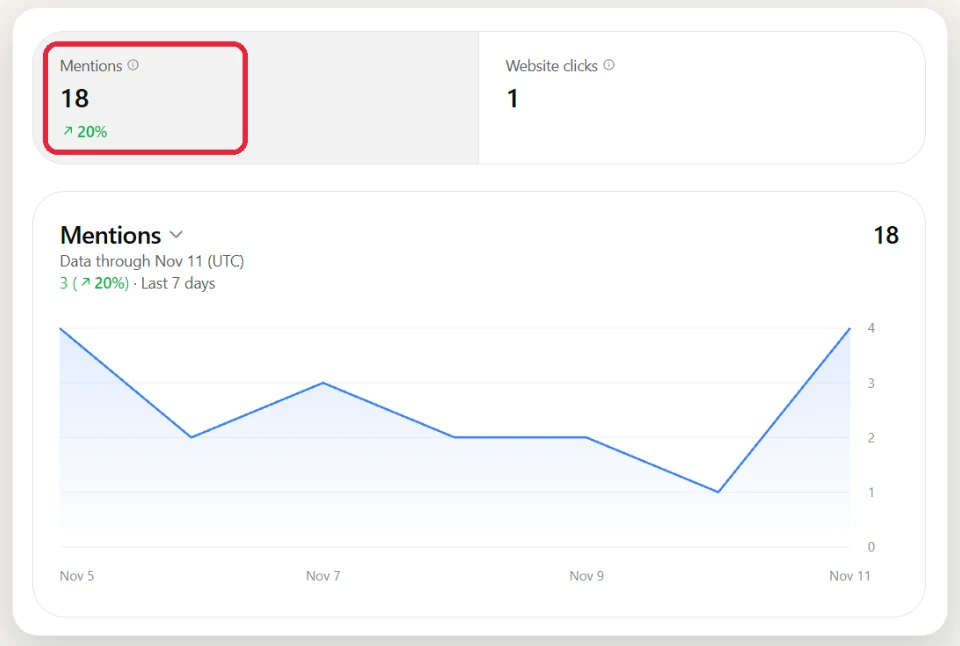
Mentions
For an online business, a mention counts when ChatGPT points to your website in an answer. Your brand name on its own doesn't count. For a local business, it counts when ChatGPT shows a result for your location.
Website clicks
How often people click through from ChatGPT to your website.
Discovery topics
Common themes in the answers that mentioned you. You don't see anyone's individual questions or chats.
Insights cover up to the last 28 days. A blank number doesn't always mean zero: it can mean there isn't enough activity to report yet.
What it doesn't do
It doesn't guarantee recommendations
OpenAI is clear: claiming your profile doesn't guarantee more visibility or give you control over who ChatGPT recommends. Paying for ads doesn't change its answers either.
The Business Agent is US-only for now
The chat that answers customer questions for you is only open to eligible US online businesses. OpenAI says it plans to expand to more markets over time.
It isn't the only source ChatGPT uses
ChatGPT may still draw on other websites when it answers questions about you, and approved changes can take time to show up.
Common questions
Sources: OpenAI, Setting up your business on ChatGPT and Introducing Businesses in ChatGPT (10 November 2026). Checked 12 November 2026. It's a beta, so details may change.
Claiming your profile is step one. Getting recommended is the work.
- See where AI search mentions you today
- Get your details right wherever AI looks
- Track progress on ChatGPT, Gemini and Google
That's our AI Search Visibility service, helping small and medium businesses show up when customers ask AI who to use.
More on getting named in AI answers: How to get your business recommended by ChatGPT